


You can import Mailchimp contacts into HubSpot yourself. A partner earns its fee on what breaks around the import: unsubscribes spread across Mailchimp audiences, marketing-contact settings, the forms and zaps still feeding Mailchimp, the sending domain, and templates and workflows that have to be rebuilt. In the six Mailchimp migrations Growth has run or guided since mid-2025, those steps set the timeline, not the data.
Key Takeaways
- Map every Mailchimp audience to a HubSpot subscription type before you import a single contact.
- Gather unsubscribes from every audience, because one person can be unsubscribed in one audience and subscribed in another.
- Decide which contacts are marketing contacts before the first send. That setting decides who can receive email and what HubSpot bills.
- Expect a lower reported open rate in HubSpot, and compare clicks across the two tools.
- Plan on two to four months from kickoff to the first HubSpot send. Content, IT and the people who own email set that pace.
When Do You Need a Partner for a Mailchimp to HubSpot Migration?
You need a partner when your Mailchimp account has grown into a system: several audiences with their own unsubscribes, forms and integrations feeding it, automations your team relies on, or a deadline. A small account can move without one.
You can likely move it yourself if:
- You have one audience and one newsletter.
- Contacts arrive through a single signup form you can replace.
- Your only Mailchimp automation is a welcome email.
Bring in a partner if:
- You have several audiences, each with its own unsubscribes.
- Website forms, Zapier zaps or manual uploads feed Mailchimp.
- Sales needs to see email engagement on the contact record from the first week.
- A Mailchimp renewal or a campaign calendar sets the date.
What Goes Wrong When Teams Move From Mailchimp to HubSpot?
The contact import rarely fails. The problems sit in everything Mailchimp handled quietly. These are the problems we met most often across six projects, and what to do about each.
| What breaks | What we saw | What to do |
|---|---|---|
| Consent | Mailchimp keeps unsubscribes per audience. HubSpot keeps them per subscription type on one contact record. | Map each audience to a subscription type, then import opt-outs against the matching type |
| Suppression | A nonprofit had 4,000 people unsubscribed in one Mailchimp audience and still subscribed in another. A foundation's unsubscribes sat in 28 separate audiences. | Build one suppression list from every audience before the first send. The nonprofit's held 13,000 contacts |
| Marketing contacts | About 16,000 imported contacts showed 45 eligible recipients until they were set as marketing contacts. | Set marketing status by segment before the first send, and size the HubSpot tier from the real Mailchimp audience |
| Hidden inputs | Website forms, a Typeform-to-Zapier chain and manual uploads still fed Mailchimp. | List every input in discovery, replace the forms first, then let the last Mailchimp emails finish |
| Sending domain | DNS changes waited on client IT. One team connected its main website domain instead of the email sending domain and pointed its site away from WordPress. | Hand IT the exact records for the sending domain, and check them before the cutover |
| Templates and workflows | Hand-coded and pasted HTML had to be rebuilt, and HubSpot flagged long newsletters for clipping. Some Mailchimp "automations" were manual steps. | Rebuild one template and the welcome workflow in HubSpot, scope the rest, and train the team |
| Open rates | A foundation's first HubSpot newsletter reported 30% opens against 44.5% on its last Mailchimp send. Counting bot opens, the HubSpot send reached 53%. | Warn the team before the first send, and compare clicks |
| Running both tools | Teams paid for two systems while the cutover slipped, and an unsubscribe in Mailchimp did not reach HubSpot. | Set the cutover date early, and reconcile unsubscribes between the tools until Mailchimp is off |
How Does Growth Run a Mailchimp to HubSpot Migration?
Growth runs a Mailchimp migration in the four phases of its GROW method, and the date follows the slowest dependency, which is rarely the data.
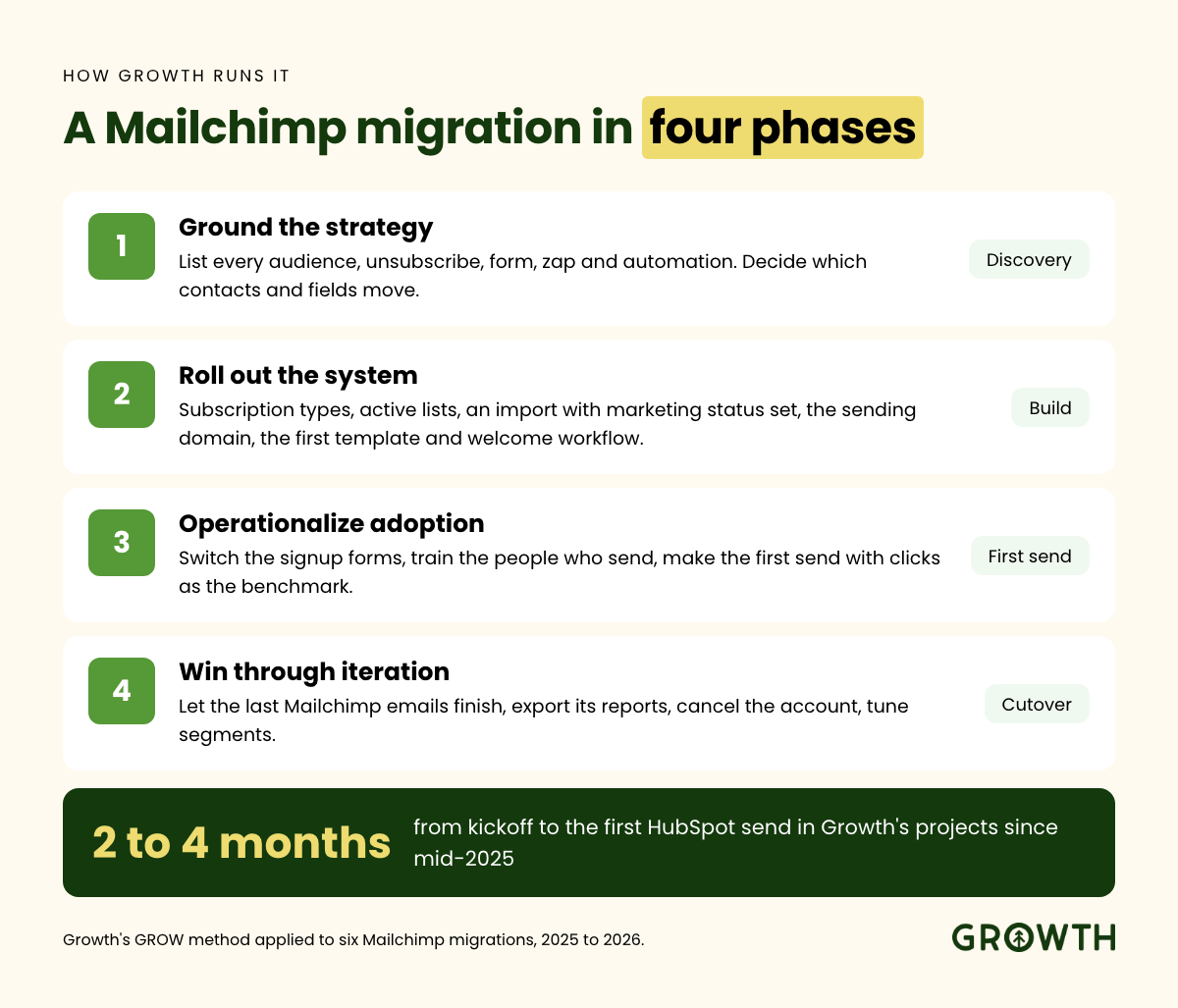
- Ground the strategy. List every Mailchimp audience, unsubscribe, form, zap and automation, and decide which contacts and fields move. Cleaning before import is cheaper than after; read how to tell if your data is clean enough to migrate.
- Roll out the system. Build subscription types, properties and active lists, import with marketing status set, authenticate the sending domain, and rebuild the first template and welcome workflow.
- Operationalize adoption. Switch the signup forms to HubSpot, train the people who send email, and make the first send with clicks as the benchmark.
- Win through iteration. Let the last Mailchimp emails finish, export Mailchimp's reports, cancel the account, and tune segments from HubSpot's results.
Mailchimp can be one source among several. For Amplify, a fintech company, Mailchimp was one of five data sources Growth moved into one HubSpot portal (Amplify case study). Growth's HubSpot migration services cover marketing platforms, including Mailchimp, Pardot and Marketo, as well as CRMs.
What Should You Ask Any Mailchimp Migration Partner?
A Mailchimp migration partner should answer these before you sign:
- How will you map our Mailchimp audiences to HubSpot subscription types?
- How will you gather unsubscribes from every audience, and what happens to someone who left only one?
- Which contacts become marketing contacts, and what does that do to our HubSpot bill?
- Who rebuilds our templates and automations, and is that in the scope?
- What open rate should we expect on the first send, and how will we compare it with Mailchimp?
- Do you hold HubSpot's CRM Data Migration Accreditation?
Growth is an Elite HubSpot Solutions Partner and holds HubSpot's CRM Data Migration Accreditation, which HubSpot awards on a reviewed case file rather than a test. Read what the accreditation measures.
How Long Does a Mailchimp to HubSpot Migration Take?
In Growth's projects, the first HubSpot send went out two to four months after kickoff. The import itself is the fast part: on one project we imported 11,584 contacts live on a working call. The rest of the time went to consent decisions, content, DNS changes that waited on IT, and training. When the person who owns email changed mid-project, the date moved with them.
Growth's Recommendation
If your Mailchimp account is one audience and a newsletter, move it yourself with HubSpot's Smart Transfer, which brings Mailchimp contacts and email templates across (HubSpot), and use the table above as your checklist. If it has several audiences, inputs feeding it or automations your team depends on, design the consent model and the cutover before anyone imports a contact. That is the order that held up in our projects. Read our Mailchimp vs HubSpot comparison if you are still choosing.
FAQs
How long does a Mailchimp to HubSpot migration take?
In Growth's projects, the first HubSpot send went out two to four months after kickoff, and the contact import took less than a day. The time goes to subscription types, rebuilt templates, sending-domain changes that wait on IT, and training the people who send email.
Do Mailchimp unsubscribes carry over to HubSpot?
Mailchimp unsubscribes do not carry over on their own. HubSpot can import a list of people who opted out in another tool; they are marked unsubscribed from all email and are not created as billable contacts (HubSpot). For someone who left only one Mailchimp audience, unsubscribe them from the matching subscription type in bulk or with a workflow (HubSpot).
Why are open rates lower in HubSpot than in Mailchimp?
HubSpot filters bot activity, such as security scanners and Apple's Mail Privacy Protection, out of marketing email metrics by default, which usually shows lower numbers than tools that count it (HubSpot). In one Growth project, a newsletter reported 30% opens in HubSpot against 44.5% in Mailchimp, and 53% with bot opens counted.
Can you move Mailchimp email history into HubSpot?
Contacts, unsubscribes and list membership can move. In Growth's projects, past campaign results stayed in Mailchimp, so export your campaign reports and the full contact export before the account closes. One client used that export months later to restore a property a bad import had overwritten.
Should you keep Mailchimp connected to HubSpot?
Keep Mailchimp connected only while it stays in use. HubSpot's Mailchimp integration sends contacts one way, from HubSpot to Mailchimp, and brings Mailchimp sends, opens, clicks and bounces onto existing HubSpot contacts, with about a month of history (HubSpot). When a team is leaving Mailchimp, we move consent into subscription types and skip the connector.
Next Step
Book a 30-minute call and get a one-page plan for your Mailchimp move, with your audiences, inputs and cutover date mapped.
Recent posts